
Performance Max can help advertisers reach potential customers across Google Search, YouTube, Display, Discover, Gmail, Maps, and other eligible inventory from a single campaign. That reach is powerful, but automation is not a substitute for strategy. If Google Ads receives misleading conversion signals, an unrealistic return-on-ad-spend target, weak creative assets, or an unclear landing page, it can optimize toward activity that looks successful in the dashboard but does little for the business.
The best Performance Max best practices in 2026 start with one principle: give automation reliable business goals, useful creative, and enough control to avoid obvious waste—then measure the results against profit and lead quality, not just clicks or reported conversions.
This guide explains how to audit a campaign, improve its inputs, use the newer reporting and controls, and build a practical optimization routine without making constant changes that disrupt learning.
- What Is Performance Max?
- 1. Fix Conversion Tracking Before Changing Bids
- 2. Choose a Bidding Goal Your Business Can Actually Meet
- 3. Give the Campaign a Sensible Budget and Time to Learn
- 4. Build Focused Asset Groups Around Real Offers
- 5. Use Search Themes to Guide Intent—Not to Replace Strategy
- 6. Review Search Terms and Add Negative Keywords Carefully
- 7. Control Brand Traffic Without Blocking Valuable Demand
- 8. Manage Final URL Expansion and Landing-Page Relevance
- 9. Use Audience Signals as Guidance, Not a Cage
- 10. Read Channel-Level Reporting Before You Make Changes
- 11. Evaluate Assets at the Right Level
- 12. For Ecommerce, Treat Your Product Feed as Ad Creative
- 13. Make the Landing Page Do Its Part
- 14. Use a Weekly Optimization Routine
- 15. Common Performance Max Mistakes That Waste Spend
- A Practical 30-Day Performance Max Improvement Plan
- Final Thoughts
What Is Performance Max?

Performance Max is a goal-based Google Ads campaign type that uses automation to serve ads across multiple Google channels. Advertisers provide assets, conversion goals, budgets, bidding targets, audience signals, and—in retail campaigns—product feed information. Google’s systems combine these inputs to find opportunities likely to achieve the selected objective.
It can complement keyword-based search campaigns and help reach customers beyond queries you already target. It does not guarantee profitable conversions, however. The system is only as useful as the goals, data, creative, and business constraints supplied to it. Read Google’s official overview of Performance Max campaigns for the current feature description.
1. Fix Conversion Tracking Before Changing Bids
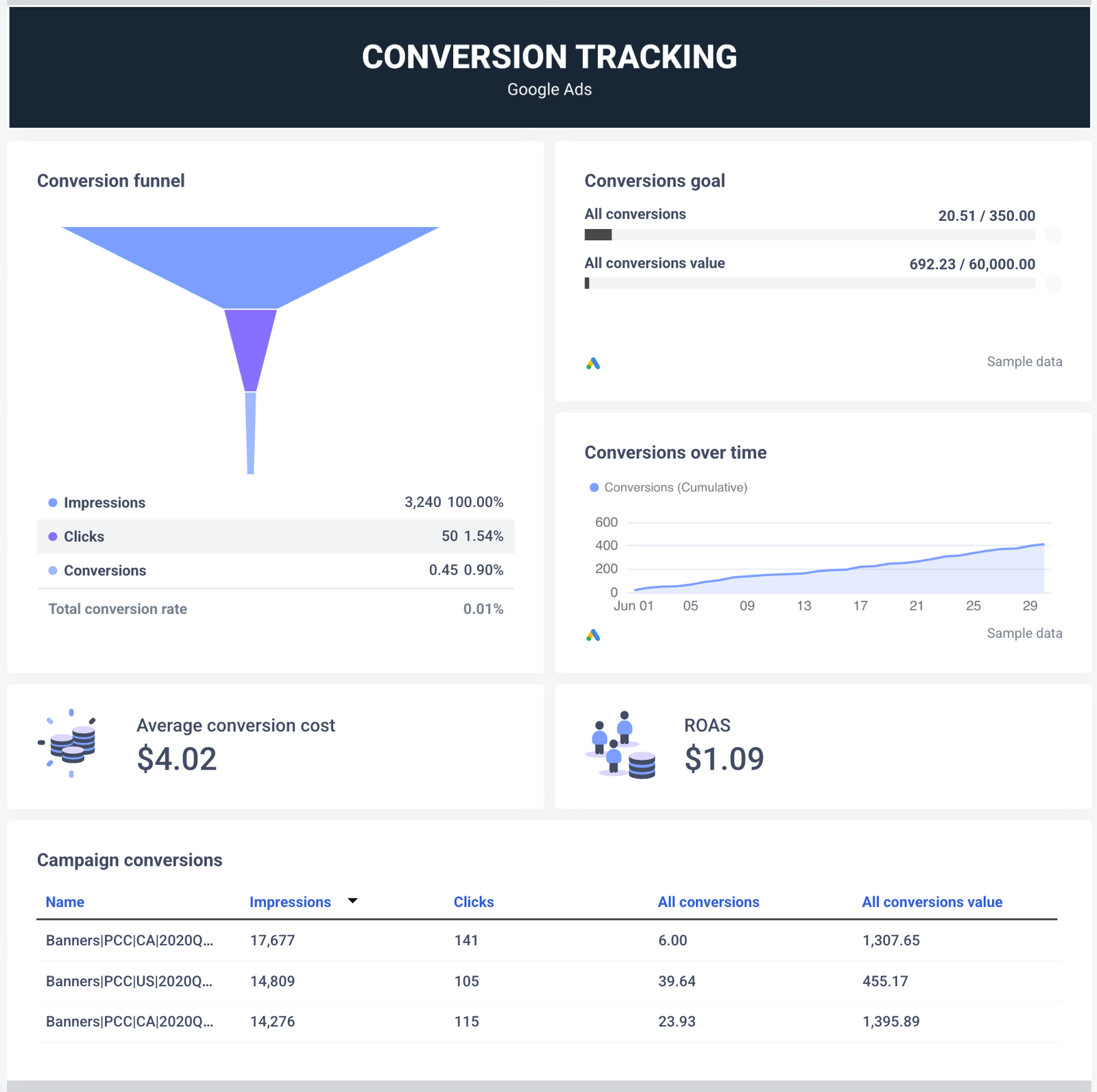
Conversion tracking is the foundation of optimization. If a campaign counts page views, button clicks, duplicate form submissions, or low-quality inquiries as equal to actual sales, automated bidding may seek more of those actions instead of more revenue.
Audit your conversion actions.
- Choose meaningful primary conversions. For ecommerce, this is usually a completed purchase with accurate order value. For lead generation, it may be a qualified lead, booked consultation, or accepted opportunity—not simply every form interaction.
- Remove duplicate counting. Check whether Google Ads tags, Google Analytics imports, CRM imports, and other integrations count the same event more than once.
- Verify values and currency. Dynamic order values should match the transaction, use the correct currency, and avoid sending a fixed value for every purchase when actual revenue is available.
- Test the full journey. Submit a test lead or purchase and confirm that the correct action appears, fires once, and is attributed as expected.
- Import offline outcomes when appropriate. If sales happen after a phone call or CRM qualification, connect those outcomes where technically and legally appropriate. This helps distinguish raw leads from leads that become customers.
Review the account’s conversion goals and the specific goals used by each campaign. Avoid optimizing toward a shallow action merely because it produces more volume. Google’s Performance Max campaign setup guidance also emphasizes accurate conversion tracking, useful audience signals, creative quality, and realistic budgets and bidding targets.
2. Choose a Bidding Goal Your Business Can Actually Meet
Performance Max commonly uses automated strategies such as maximizing conversions or conversion value, with optional target CPA or target ROAS settings depending on the objective and configuration. The correct choice depends on the economics of the business and the quality of its conversion data.
For lead generation
Start by estimating what a qualified lead is worth. If only one in five leads becomes a customer, a low cost per form submission may be misleading. Track qualified leads and sales outcomes where possible, then calculate the cost per qualified opportunity and the eventual customer acquisition cost.
Use a target CPA that reflects realistic performance and the value of the conversion. Setting the target far below what the market and conversion history support can restrict delivery. If the campaign has little reliable data, prioritize correct measurement and sufficient learning time rather than forcing an aggressive target immediately.
For ecommerce
When order values vary, conversion-value bidding can be more useful than treating every sale as identical. Use target ROAS only after you understand margins, returns, shipping, discounts, and the relationship between tracked revenue and profit. A 500% ROAS is not automatically profitable if product margins and operating costs are low.
Calculate a break-even ROAS using your own margins and costs. Then set a target that supports the business goal while leaving room for the campaign to find conversions. Avoid changing the target every day based on small fluctuations.
3. Give the Campaign a Sensible Budget and Time to Learn

A budget that is too small relative to your conversion costs can limit the volume of data and opportunities available to the campaign. At the other extreme, a large budget does not fix poor measurement or weak economics.
Before launch, estimate your expected cost per conversion and decide how much you can responsibly spend to learn. Review whether the daily budget is limiting a campaign that already meets its CPA or ROAS target. If it is performing well and genuinely budget-constrained, a gradual budget increase may create more opportunity. If it is missing its target, first diagnose conversion tracking, search intent, landing pages, and bidding constraints.
Automated bidding needs time to respond to changes. Google notes that learning can take around one to two weeks in many cases and sometimes longer, depending on the campaign and conversion cycle. Avoid frequent major changes to budget, bidding, and targeting. After a significant change, allow sufficient time for the relevant conversion cycle before judging its effect. See Google’s campaign setup and learning guidance.
4. Build Focused Asset Groups Around Real Offers

An asset group contains creative assets organized around a theme, audience, or landing-page destination. Google combines text, images, logos, and video to create ads for different eligible placements.
Do not place unrelated products, services, and offers in one generic asset group simply because they belong to the same business. A person looking for an SEO audit needs a different message from someone looking for a freelance proposal template or a specific ecommerce product.
Organize asset groups around meaningful themes and ensure that the final URL matches the promise in the ad. For retailers, use product groups and feed labels thoughtfully so that products shown in an asset group correspond to the landing page and creative.
Creative checklist
- Write multiple distinct headlines and descriptions that communicate a clear benefit, proof point, offer, or differentiator.
- Upload high-quality square, landscape, and portrait images where supported and relevant.
- Provide your own useful video assets rather than relying entirely on automatically generated video.
- Use accurate logos, business names, calls to action, and current promotional details.
- Make creative assets consistent with the landing page and the audience’s likely intent.
- Refresh assets when the offer, season, product range, or customer objection changes.
Google recommends providing diverse, high-quality assets and regularly reviewing them. Its Performance Max creative asset best practices include adding a range of image assets and replacing weak assets rather than simply deleting them without a replacement. Treat asset ratings as diagnostic clues, not as a complete measure of business value.
5. Use Search Themes to Guide Intent—Not to Replace Strategy
Search themes let you provide phrases that describe what potential customers search for. They are optional signals that supplement Google’s understanding of your assets, landing pages, feeds, and other campaign inputs. They are not traditional exact-match keywords and do not restrict Performance Max to only those phrases.
Add themes that reflect genuine commercial intent and your actual offer. For example, a company selling accounting software might use themes such as “small business accounting software,” “cloud bookkeeping software,” and “invoicing software for contractors.” Avoid adding dozens of near-duplicates just to fill the available space.
Group themes by the asset group’s subject and review search-term reporting to see whether the campaign is matching useful demand. Google’s current guidance allows up to 50 unique search themes per asset group; exclusions and negative keywords still apply. Read Google’s search themes guide for details.
6. Review Search Terms and Add Negative Keywords Carefully
Negative keywords can reduce irrelevant search and shopping traffic. They are especially useful when a campaign repeatedly matches terms that clearly conflict with the product, service, geography, or customer type you want.
Start with search-term reports and classify queries into three groups:
- Relevant: closely matches the offer and deserves to remain eligible.
- Uncertain: has too little evidence to classify. Investigate before excluding it.
- Clearly irrelevant: signals an incompatible intent, such as a job seeker when you sell a product or free downloads when you sell a paid service and do not want that audience.
Do not add broad negative keywords impulsively. A term that appears unproductive in one context may be valuable in another, and over-exclusion can remove legitimate demand. Use campaign-level negatives for campaign-specific issues and account-level lists only when the exclusion truly applies across the account.
In Performance Max, negative keywords apply to Search and Shopping inventory, not every channel. Google’s official guide to negative keywords in Performance Max explains how to add them and evaluate their potential impact.
7. Control Brand Traffic Without Blocking Valuable Demand
Brand traffic can make performance look stronger because people who already know your business may convert more readily than new customers. Whether branded searches belong in Performance Max depends on the business, campaign structure, and measurement goal.
Review brand exclusions and how existing Search campaigns interact with Performance Max. If you need a clearer view of non-brand acquisition, consider a carefully designed test or separate reporting approach. Do not assume that excluding all brand terms is always best: brand demand may be incremental in some situations, and restrictions can affect delivery.
Check overlap with Search campaigns, especially where exact-match keywords are eligible to take priority for matching queries. Use exclusions to solve a defined problem, not as a default reaction to seeing branded conversions.
8. Manage Final URL Expansion and Landing-Page Relevance

Final URL expansion can allow Google to send users to relevant pages beyond the URL you initially provide and may generate text assets based on landing-page content. This can uncover useful opportunities, but it can also send traffic to pages that are not designed to convert the audience or do not match the offer.
Review the pages eligible for expansion. Exclude irrelevant URLs where appropriate, and consider using a page feed to highlight approved landing pages. Inspect which pages receive traffic and whether they generate qualified leads, sales, or other meaningful outcomes.
Check for blog posts, support pages, policy pages, expired promotions, thin category pages, and other URLs that may not be appropriate conversion destinations. If automated text customization is enabled, review the resulting messaging for accuracy and consistency with your brand. Google notes that advertisers remain responsible for reviewing dynamically generated assets and landing-page accuracy.
Do not disable expansion automatically in every account. Test it against the needs of your site and campaign type, and use the available reporting to understand which URLs and generated assets are being served.
9. Use Audience Signals as Guidance, Not a Cage
Audience signals can help the system understand the people most likely to be valuable, using first-party audiences, customer lists where permitted, remarketing segments, and relevant custom segments. These signals guide automation; they are not necessarily hard targeting boundaries.
Prioritize high-quality first-party data. For ecommerce, consider past purchasers, high-value customers, and relevant product viewers. For lead generation, distinguish qualified leads and customers from people who only visited a page. Keep audience lists fresh and follow applicable consent and privacy requirements.
Custom segments can reflect relevant search intent, URLs, or interests where supported. Avoid adding broad, unrelated audience ideas just to make the list longer. The aim is to give the system useful context about who values your offer, while allowing it to discover additional customers.
10. Read Channel-Level Reporting Before You Make Changes
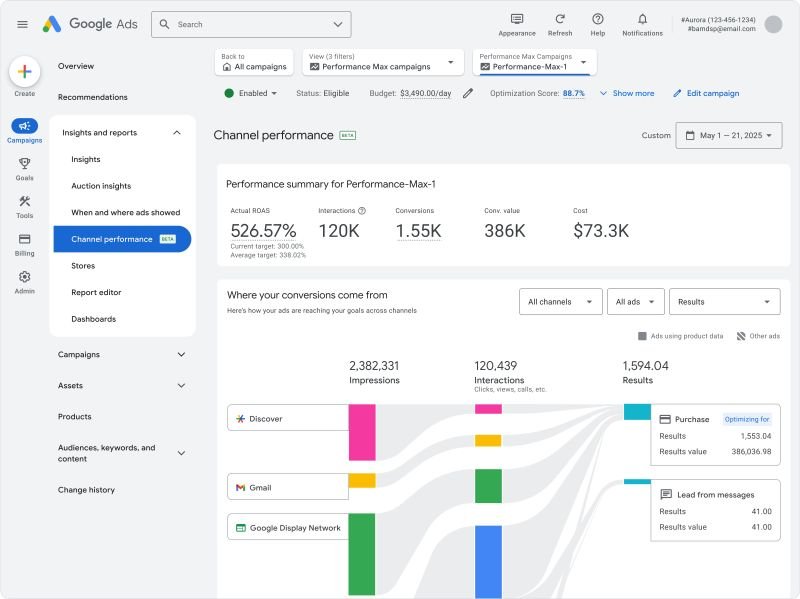
One of the most important developments for Performance Max advertisers is improved visibility into channel performance. Reporting features and availability can vary by interface, account, and API access, so check what is available in your account.
Where available, review performance across channels such as Search, Search Partners, YouTube, Display, Discover, Gmail, and Maps. Look at cost alongside conversions, conversion value, CPA, and ROAS. Use this information to ask better questions: Is a channel producing valuable conversions? Are creative assets suited to the placements? Is the campaign meeting its overall business goal?
Do not judge a channel only by its average CPA or ROAS in isolation. Performance Max optimizes the campaign as a whole, and different channels may assist different parts of the customer journey. Google’s channel optimization guidance explicitly emphasizes overall campaign performance rather than maximizing a single channel in isolation.
Use channel reporting to identify problems and test improvements, not to assume that you can force all spend into one preferred channel. Review the official channel performance optimization tips and Google’s January 2026 update on channel-level reporting.
11. Evaluate Assets at the Right Level
Use asset reports and combinations reports to understand which messages and creative combinations are being served. Review asset status, policy approval, and available performance indicators, then replace or improve weak creative with a clear hypothesis.
However, do not treat an asset’s label as a standalone profitability verdict. Conversions are not necessarily allocated across every component of an ad in a way that allows asset-level totals to equal campaign totals. Likewise, an asset group with a higher average CPA or lower average ROAS may still contribute to the campaign’s overall result.
Evaluate the campaign against its actual objective first. Then use asset-level insights to improve the creative mix. Google’s asset group reporting guide recommends campaign-level evaluation alongside asset and audience insights.
12. For Ecommerce, Treat Your Product Feed as Ad Creative
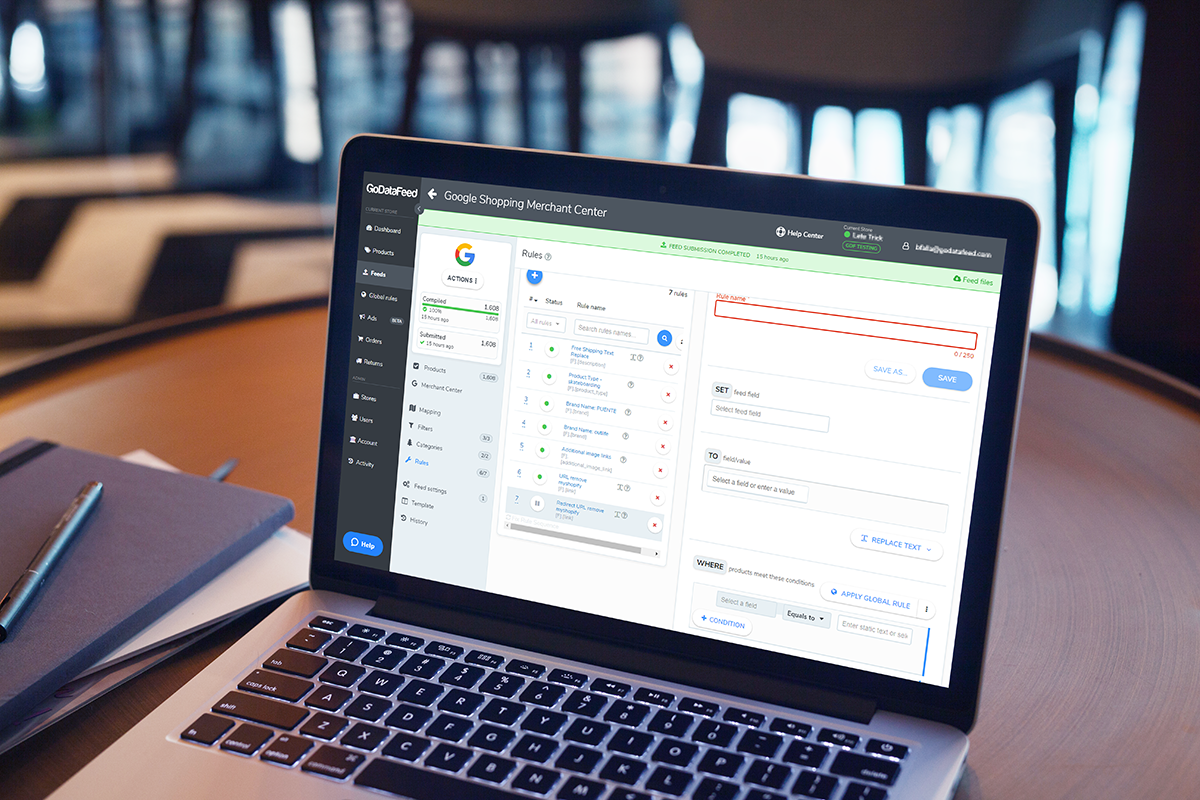
For retail campaigns, product data is one of the most important inputs. Inaccurate titles, missing attributes, mismatched prices, unavailable stock, weak images, and incorrect landing pages can undermine performance before bidding is even considered.
- Use descriptive product titles with the attributes customers use to distinguish items, such as brand, model, size, material, or compatibility where relevant.
- Keep price, availability, shipping, and promotion information accurate and synchronized with the website.
- Use high-quality images that show the actual product clearly and comply with the platform’s requirements.
- Check Merchant Center diagnostics and resolve disapprovals or feed warnings that affect eligible products.
- Organize product groups around margin, inventory, product category, or business priorities when this helps you evaluate results.
Do not allow a campaign to spend heavily on products that are out of stock, low-margin, or unlikely to meet the business target without a deliberate reason. Connect product selection and bidding to commercial priorities rather than relying only on revenue volume.
13. Make the Landing Page Do Its Part
Even well-targeted ads can waste money when the destination is slow, confusing, or mismatched to the offer. Review the landing page on mobile and desktop. Confirm that the headline reflects the ad, the main benefit is immediately clear, the call to action is easy to find, and trust information is available where it helps users decide.
For lead generation, ask only for information needed at that stage and make the next step clear. For ecommerce, show product availability, total costs, delivery details, returns, and payment options before the customer reaches the end of the purchase process.
Use analytics and controlled experiments to locate drop-offs. If many users click but few complete the intended action, investigate the landing page and the quality of traffic before raising the budget.
14. Use a Weekly Optimization Routine

A repeatable routine is more useful than changing campaign settings whenever performance fluctuates.
Every week
- Check spend against budget and the business’s CPA or ROAS target.
- Verify that conversion tracking is still working and conversion values look plausible.
- Review search terms and add only well-justified negatives.
- Inspect campaign and channel reports, looking for material changes rather than reacting to small sample sizes.
- Review asset approvals, ad strength, landing pages, and product-feed diagnostics where relevant.
- Record any changes made and the reason for each one.
Every month
- Compare performance across meaningful periods while accounting for conversion delays and seasonality.
- Review lead quality, sales outcomes, returns, and profit where data is available.
- Refresh creative to reflect current offers and customer objections.
- Check whether the budget and bidding target match actual business economics.
- Evaluate whether the campaign structure still supports clear reporting and relevant landing pages.
Keep a change log. If you alter the budget, target, asset mix, and URL expansion at the same time, it becomes difficult to determine what caused a result. Change one major variable at a time when practical, and allow enough time for conversion data to mature.
15. Common Performance Max Mistakes That Waste Spend
- Optimizing for the wrong conversion: correct the goal before adjusting the bid.
- Setting unrealistic targets: use business economics and observed performance, not wishful thinking.
- Making constant changes: allow learning and conversion cycles to complete.
- Using generic creative: make assets specific to the offer, audience need, and landing page.
- Ignoring search terms: inspect actual queries and exclude clearly irrelevant intent carefully.
- Overusing exclusions: avoid blocking useful demand or restricting delivery without evidence.
- Ignoring product data: fix feed quality, pricing, stock, and destination mismatches.
- Judging only by platform-reported ROAS: consider margins, qualified leads, offline sales, and incremental value.
- Expecting one channel to tell the whole story: assess campaign-level outcomes while using channel reports diagnostically.
A Practical 30-Day Performance Max Improvement Plan
Days 1–3: Measurement and economics. Audit conversion actions, values, duplicate events, campaign goals, margins, and realistic CPA or ROAS limits. Fix tracking problems before scaling.
Days 4–7: Campaign inputs. Review asset groups, search themes, audience signals, brand controls, negative keywords, URL expansion, and landing-page relevance. Resolve product feed issues for retail campaigns.
Week 2: Creative improvements. Add distinct headlines, descriptions, images, and video assets. Review asset approval and combinations reports. Avoid deleting assets solely because of a weak label without a replacement plan.
Week 3: Performance diagnosis. Review search terms, channel-level data where available, lead quality, and conversion value. Make targeted changes supported by evidence. Avoid reacting to incomplete conversion data.
Week 4: Evaluate and plan. Compare results with the baseline using a suitable date range and conversion lag. Decide whether to scale, maintain, or revise the campaign. Document what changed and what you learned.
This schedule is a framework, not a promise that every campaign will mature in 30 days. Campaigns with long sales cycles, low conversion volume, or substantial changes may need more time before results can be judged confidently.
Final Thoughts
The most effective Performance Max strategy in 2026 is not to surrender every decision to automation—or to try to micromanage every placement. It is to give Google Ads accurate conversion data, realistic bidding targets, relevant search themes, focused creative assets, useful audience signals, and appropriate controls, then use reporting to make disciplined improvements.
Start with measurement. Improve the offer and landing page. Review search terms and channel insights. Change settings only when the evidence supports it. Most importantly, judge success by qualified customers, profitable sales, and sustainable business value—not by the number of clicks or conversions alone.
For more practical digital marketing guidance, explore our guides on AI in digital marketing, keyword intent and lowering PPC costs, and small business growth strategies.