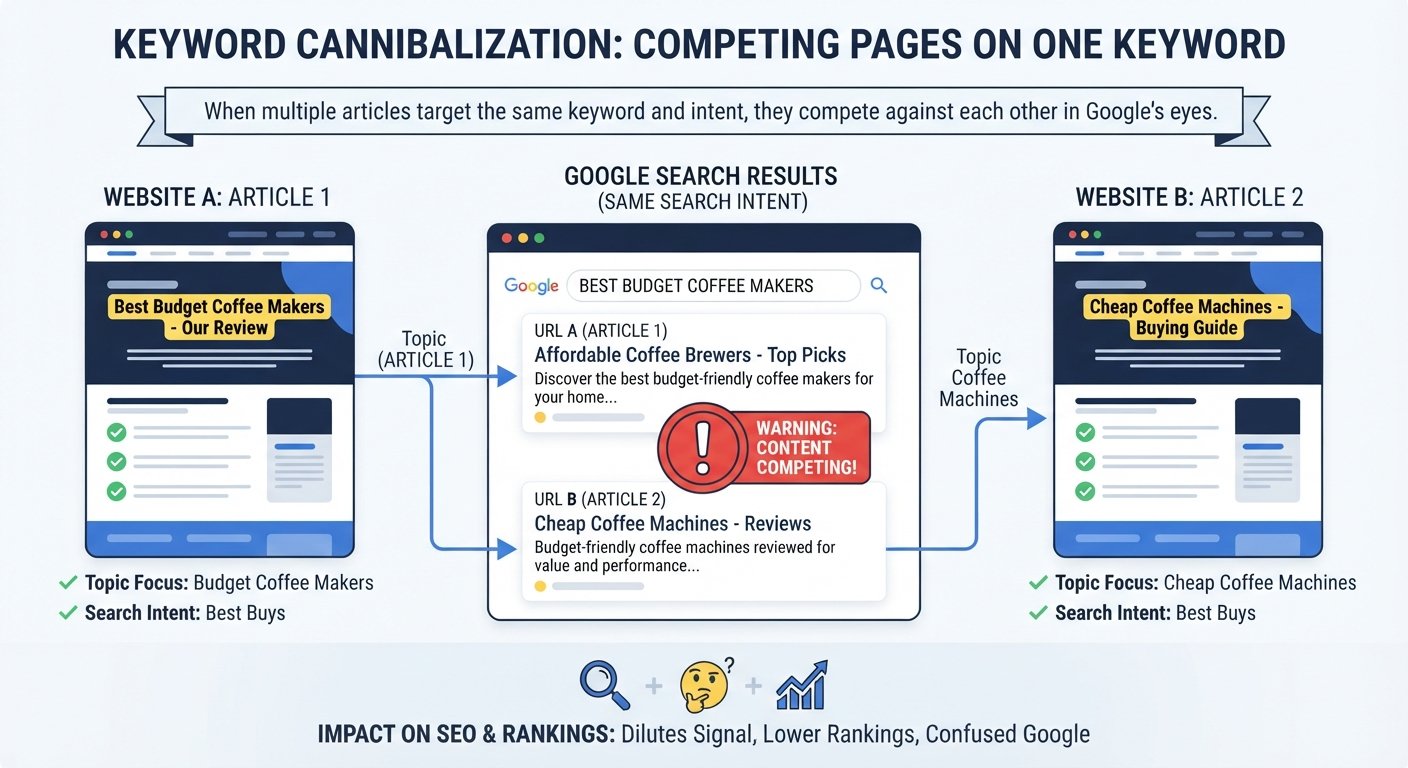
Have you ever searched Google for a topic you cover on your own website and found that different pages appear at different times—or that none of them holds a stable position? You may have a keyword cannibalization problem. It happens when multiple pages on one site target the same or very similar search intent, making it less clear which page should satisfy the searcher.
Here’s the thing: two pages mentioning the same keyword are not automatically competing. A comprehensive guide and a product page can naturally share terms while serving different needs. The real issue is overlapping purpose. In this guide, I’ll walk you through how to find keyword cannibalization, confirm whether it is actually harming your site, and choose the safest fix without deleting useful content or changing URLs unnecessarily.
You’ll learn how to use Google Search Console, review your keyword map, compare page intent, consolidate content, improve internal links, and monitor the results. The goal is simple: make every important page earn its place and give search engines and readers a clear destination.
- 1. What Is Keyword Cannibalization?
- 2. Signs Your Website May Have a Cannibalization Problem
- 3. How to Find Keyword Cannibalization on Your Website
- 4. How to Confirm Whether Two Pages Really Compete
- 5. How to Fix Keyword Cannibalization
- 6. Which Page Should You Keep?
- 7. How to Prevent Keyword Cannibalization in the Future
- 8. Common Keyword Cannibalization Mistakes to Avoid
- 9. How to Monitor the Results After a Fix
- 10. Frequently Asked Questions
- Key Takeaways
- Final Thoughts
1. What Is Keyword Cannibalization?
Keyword cannibalization is a content and site-architecture problem in which two or more pages on the same website target substantially similar queries with the same underlying search intent. Because the pages offer overlapping answers, they can compete to appear for the same searches. Search engines may alternate between them, show a less suitable URL, or struggle to understand which page is the strongest result for that query.
Imagine publishing two articles: “How to Start a Blog” and “Beginner’s Guide to Starting a Blog.” If both explain the same steps, target the same audience, and aim to rank for the same informational query, they may overlap too much. One stronger, more complete resource may serve readers better than two near-duplicates.
Now compare that with “How to Start a Blog” and “Best Hosting for a New Blog.” They share a topic, but the first teaches a process while the second helps readers compare hosting options. Both can be useful and deserve separate pages.
Keyword overlap is not always cannibalization.
Search engines understand related terms and topics. A page can rank for many variations, and multiple pages can mention the same phrase without creating a problem. Do not merge pages simply because a keyword appears in both title tags, headings, or body copy.
Look for a meaningful conflict: similar queries, similar intent, interchangeable pages in search results, and evidence that the wrong page is appearing or performance is being divided. Treat cannibalization as a diagnosis to verify—not a warning generated by a tool that must always be fixed.
2. Signs Your Website May Have a Cannibalization Problem
There is no single metric that proves cannibalization. Instead, combine search data, page content, and the experience a visitor receives. These signals deserve investigation:
- URLs alternate for the same query: Search Console shows different pages receiving impressions for one important query over comparable periods.
- The wrong page appears: A broad category page ranks where a detailed guide—or another more relevant page—should appear.
- Two pages have near-identical intent: Their titles, introductions, outlines, and promised outcomes are almost interchangeable.
- Performance is fragmented: Several similar URLs receive impressions and clicks, but no page consistently becomes the clear destination.
- Internal links send mixed signals: Your own pages use similar anchor text to point to different URLs for the same subject.
- New content duplicates an existing resource: A new article covers the same question without adding a distinct audience, format, or purpose.
Ranking movement alone is not enough. Search results change for many reasons, including competition, seasonality, changes in demand, and updates to the page or search results. Check whether the pages genuinely overlap before making changes.
3. How to Find Keyword Cannibalization on Your Website
Method 1: Use Google Search Console
Google Search Console is a practical starting point because it shows the queries for which Google displayed your pages. You do not need to buy an SEO platform to perform an initial investigation.
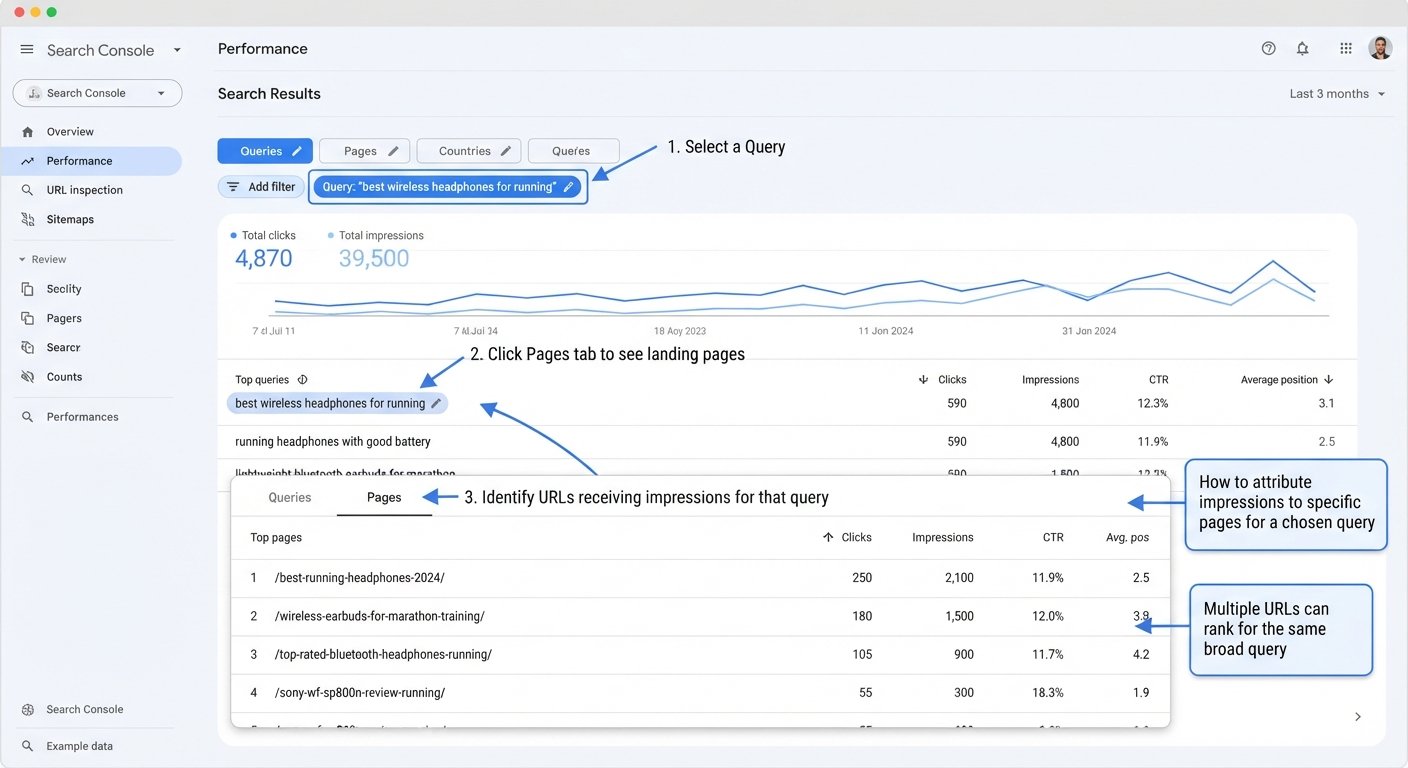
- Open the performance report and select Search results.
- Choose a useful date range. Start with the last three months, then compare with a previous period if you need to understand changes.
- Open the Queries tab and identify an important query that may have multiple competing pages.
- Click the query to filter the report to that search term.
- Open the Pages tab. Review every URL shown for the selected query.
- Record clicks, impressions, click-through rate, and average position for each URL. Compare like-for-like periods and note whether different URLs appear at different times.
- Repeat the process for close variations of the query and for other priority topics.
Google’s help documentation explains how to select a query and view the pages shown for it in the performance report. Follow the official Search Console Performance report guide.
What to look for: A query with several URLs is a lead, not a verdict. The pages may be serving different countries, devices, formats, or intents. Open each URL and inspect the actual content before deciding what to do.
Method 2: Search your own website with Google
Use a site-restricted search to discover pages that mention a topic. For example, searchsite:example.com "keyword research", replacing the example domain with your own. Try the primary keyword, close variations, and question-style phrases.
This is a discovery shortcut, not a complete inventory or a reliable measurement of rankings. Search results are selective and can change. Use it to find candidate URLs, then verify them in your CMS, analytics, and Search Console.
Method 3: Audit your content inventory
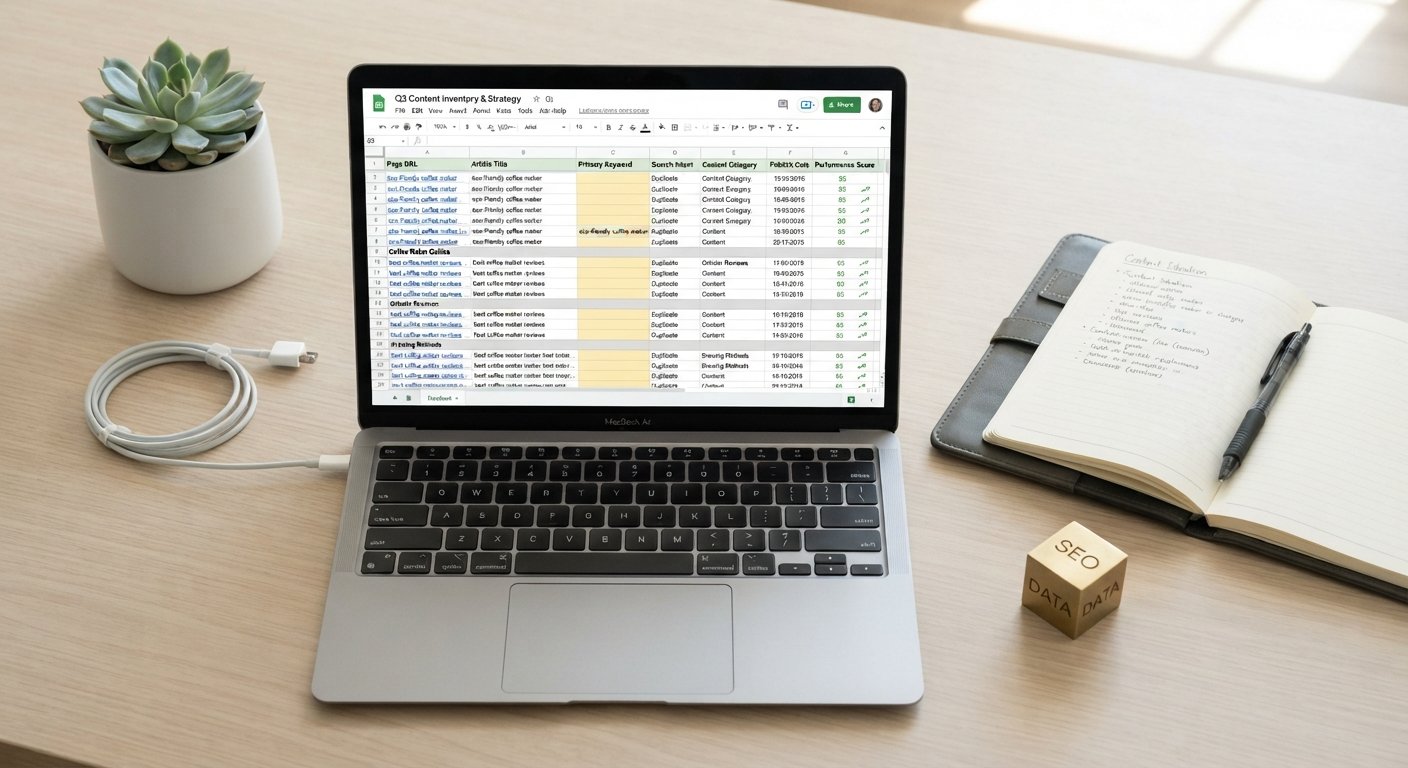
Export or list your published pages and organize them in a spreadsheet. Include the URL, title, primary keyword, search intent, content type, target audience, last updated date, and main internal links. Add Search Console clicks and impressions if available.
Sort by topic and group pages that answer the same question. This often reveals overlap that is hard to notice when you review articles one at a time. Your keyword research process should assign one clear primary purpose to each planned page while allowing natural secondary terms to appear where relevant.
Method 4: Use an SEO crawler or keyword tracking tool.
A site crawler can export titles, H1 headings, canonical URLs, indexability, and internal links. A rank-tracking platform may show several URLs ranking for the same tracked keyword. These tools can speed up large audits, but their alerts should be treated as leads for manual review.
Do not assume that a tool’s “cannibalization” label means you must merge pages. Check the query, location, device, date range, and intent. Tools can group similar phrases or pages in ways that do not reflect the real visitor journey.
4. How to Confirm Whether Two Pages Really Compete
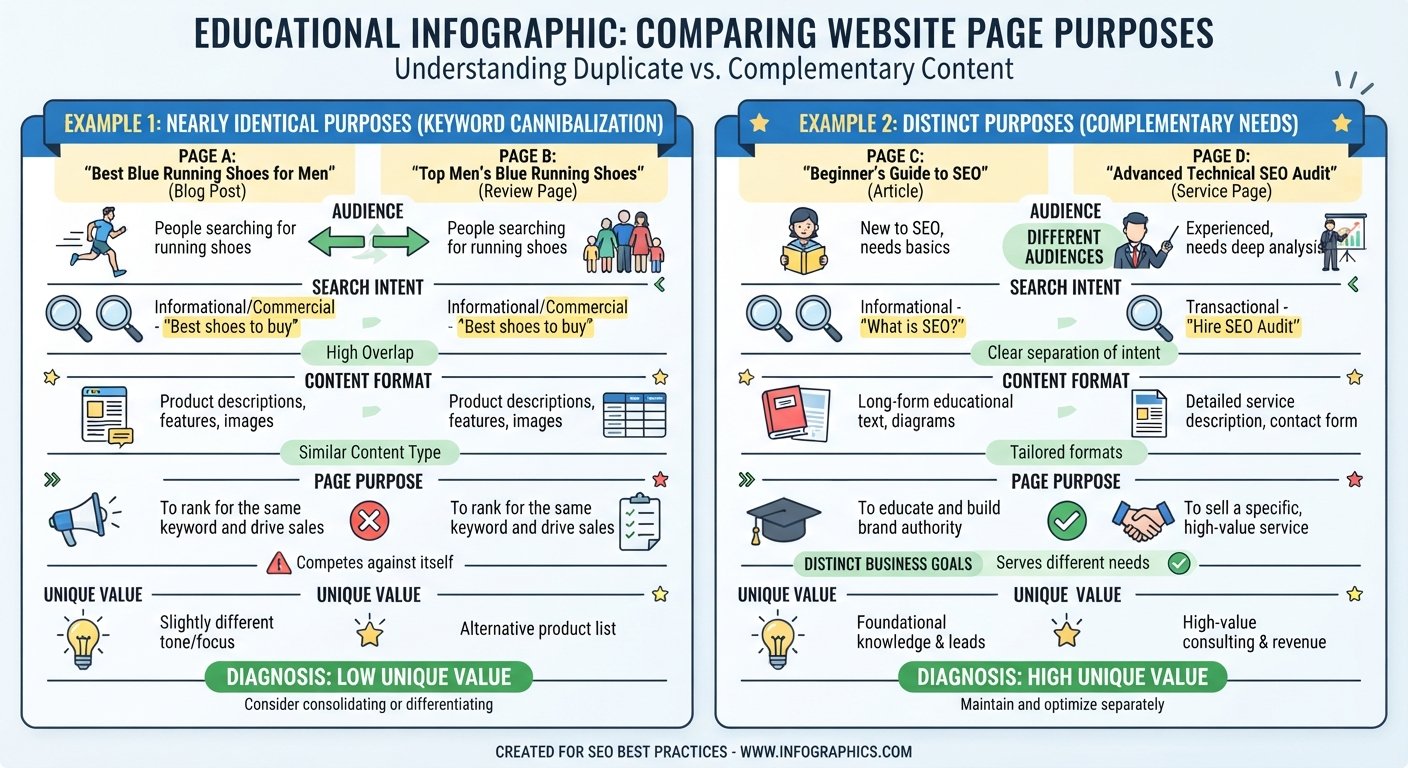
Before editing anything, compare the candidate pages side by side. A short diagnostic worksheet can prevent a damaging consolidation.
| Question | What to compare | Evidence of genuine overlap |
|---|---|---|
| Search intent | What does the searcher want to accomplish? | Both pages satisfy the same need in nearly the same way. |
| Query data | Search Console queries and page URLs | Both URLs appear for the same priority queries over time. |
| Content promise | Title, introduction, headings, and conclusion | Both pages promise essentially the same answer. |
| Audience | Reader level, industry, or use case | The audience and use case are indistinguishable. |
| Unique value | Examples, tools, depth, format, and expertise | One page adds little that the other does not already provide. |
| Business purpose | Informational, comparison, product, or conversion role | Both pages compete for the same stage of the journey. |
For example, a beginner tutorial and an advanced troubleshooting guide may both receive impressions for “WordPress SEO.” But if one teaches setup and the other resolves technical errors, they may deserve separate URLs. You can improve their titles and internal links to make the distinction clearer.
Also check whether the apparent conflict is caused by a technical issue. Duplicate URL variants, incorrect canonicals, parameter URLs, and redirects can create URL confusion without being a content-strategy problem. Google’s canonicalization documentation explains how it selects representative URLs among duplicates.
5. How to Fix Keyword Cannibalization
There is no universal fix. Choose the least disruptive action that gives each useful page a distinct role. Here are the main options.
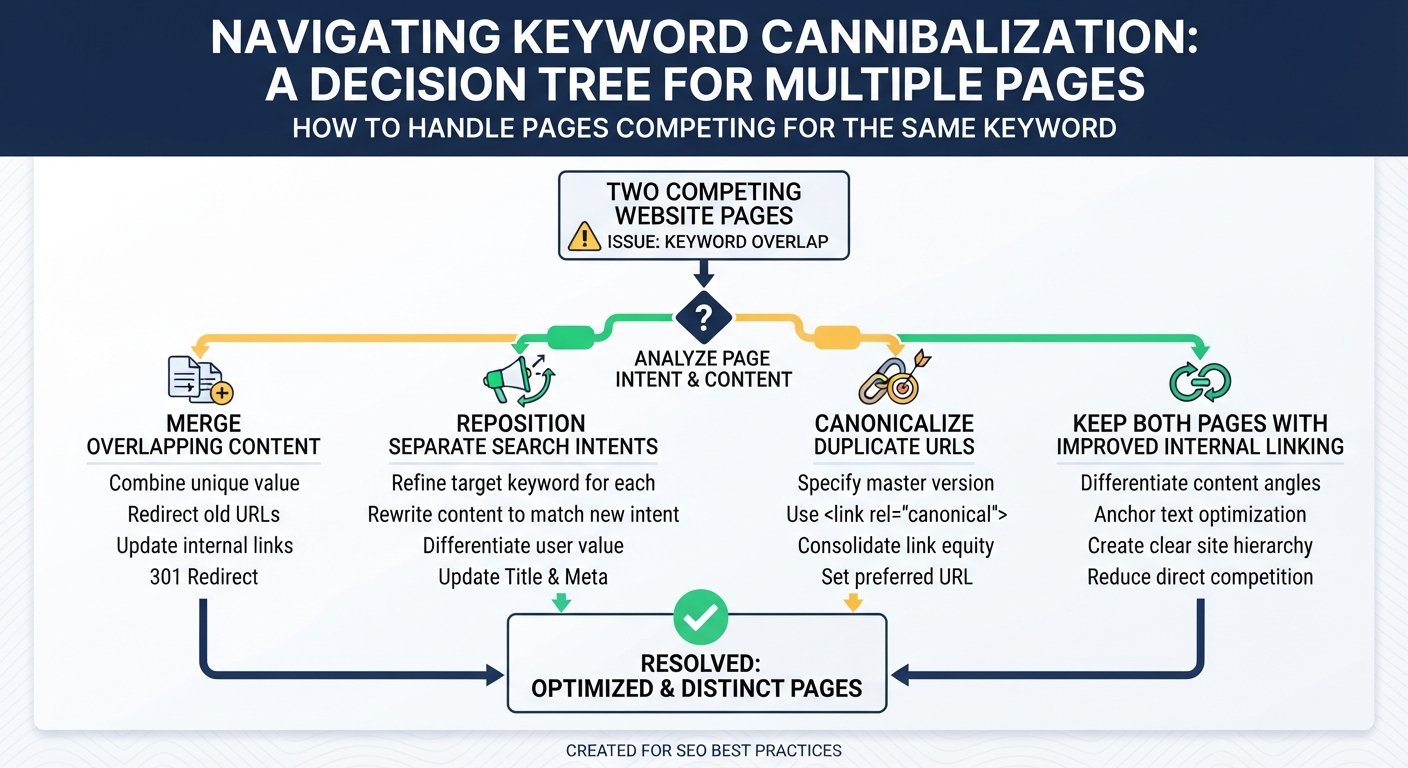
Fix 1: Merge pages that serve the same intent
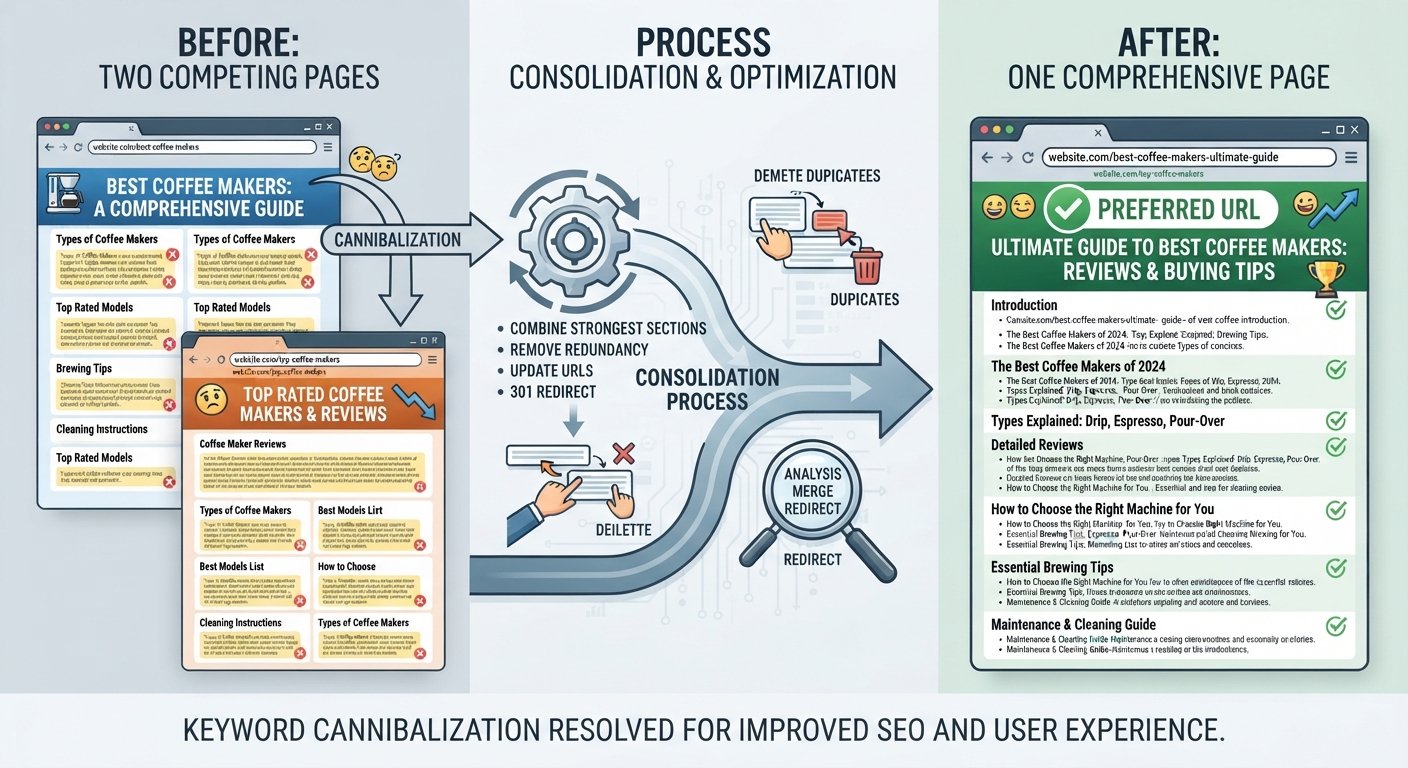
If two or more pages answer the same question and one cannot justify a separate purpose, combine their best material into one stronger resource. Choose the URL with the best long-term fit, considering relevance, existing links, traffic, history, and content quality—not just which URL has the highest current position.
Before merging:
- Review both pages and identify unique sections, examples, and useful details.
- Move valuable material into the page you intend to keep.
- Remove repetition and reorganize the combined article into a logical structure.
- Update internal links so they point directly to the retained URL.
- Set up a relevant permanent redirect from the retired URL to the consolidated page when the old page has genuinely been replaced.
- Test the redirect and update your sitemap and any references you control.
Do not redirect an unrelated page simply to preserve a URL. The destination must be a meaningful replacement for the old content. Google recommends relevant permanent redirects when pages are moved or consolidated; see its redirect guidance.
Fix 2: Reposition one page around a distinct intent.
Sometimes both pages deserve to exist, but their purpose is too similar. Refocus each page on a separate need. One could become a beginner introduction, while the other becomes a detailed checklist, comparison, case-specific tutorial, or advanced guide.
Rewrite the title, introduction, headings, examples, and calls to action so the difference is obvious to readers. Remove sections that simply repeat the other page, and add genuinely useful material that supports the page’s new role. Do not just change a few keywords and leave the same article underneath.
Fix 3: Improve internal linking signals
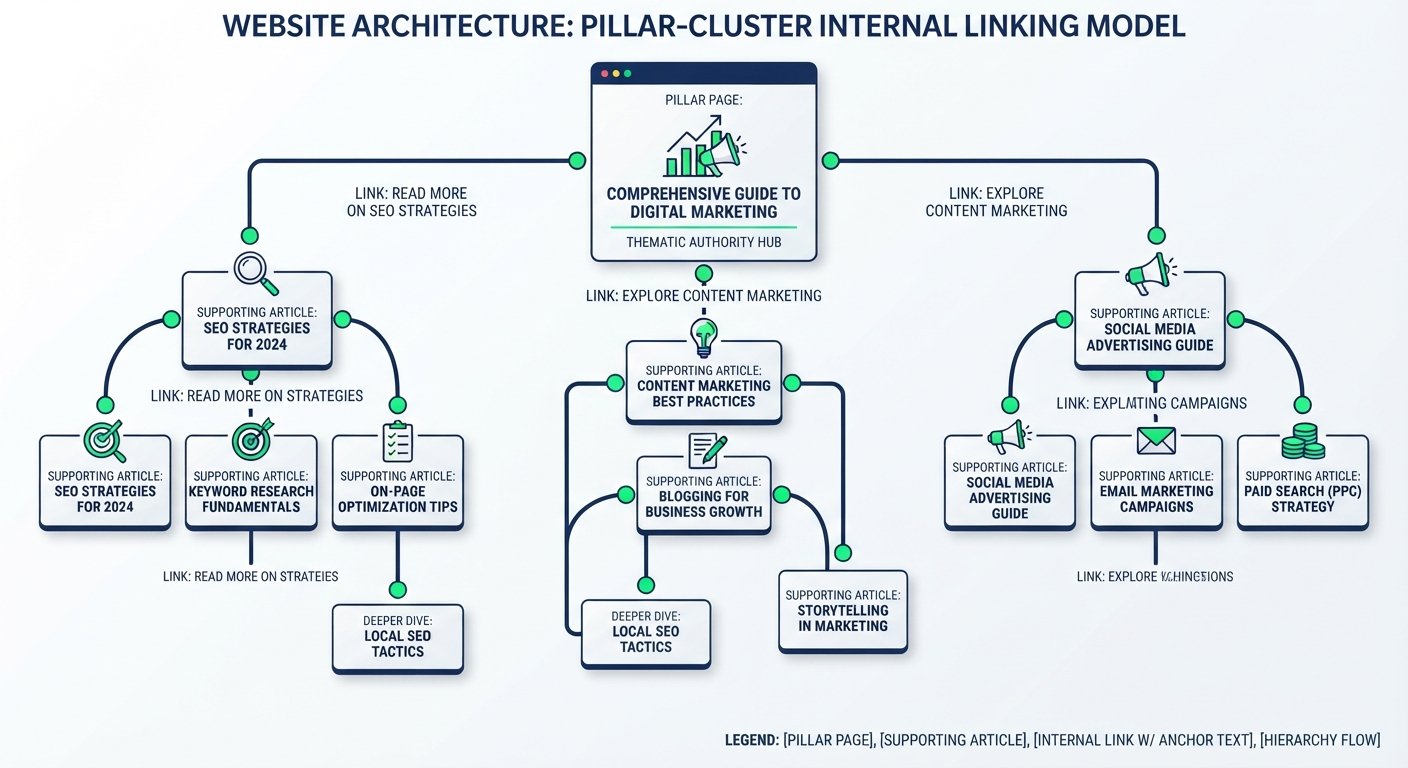
Internal links help visitors and search engines discover relationships between pages. Decide which URL is the primary resource for a topic, then link to it from relevant supporting articles with clear, descriptive anchor text.
Where a secondary page has a different purpose, link to it using an anchor that describes that specific purpose. Avoid pointing the same generic anchor to multiple competing URLs. Review navigation, category pages, related-post modules, and contextual links—not only links in the article body.
For more practical guidance, see how to optimize internal linking. A consistent linking structure should help users move naturally between related resources.
Fix 4: Canonicalize true duplicate or near-duplicate URLs
A canonical tag is appropriate when multiple URLs contain duplicate or very similar content, and you want to indicate the preferred representative URL. It is not a general tool for telling Google that two distinct articles should compete less.
Use a canonical only when the pages are sufficiently duplicate or near-duplicate and the selected destination is genuinely representative. Check that the canonical target is accessible, indexable, relevant, and consistent with your other signals. Google treats canonical annotations as a signal rather than an absolute command. Read Google’s guide to consolidating duplicate URLs.
Fix 5: Retire a page only when it has no continuing value
Some pages are outdated, thin, redundant, or no longer useful. If there is no suitable replacement and the page has no reason to remain available, consider whether it should be removed. If a relevant replacement exists, redirect the old URL to it. If not, return an appropriate not-found or gone response rather than sending visitors to an unrelated page.
Check backlinks, referral traffic, conversions, and internal links before retiring a URL. A page with modest organic traffic may still provide value to customers or support a specific journey.
Fix 6: Keep both pages and clarify their roles
Do not force a merge when pages satisfy different intents. Keep both, sharpen their unique value, and make the relationship clear through headings and internal links. For example, a broad guide can introduce a topic and link to a separate step-by-step tutorial. The supporting tutorial should focus on its own task rather than repeat the full overview.
6. Which Page Should You Keep?
Choosing the primary URL is a strategic decision. Use a balanced review rather than relying on one metric.
- Intent fit: Which page most directly answers the query?
- Content quality: Which page is more accurate, complete, helpful, and current?
- Performance: Compare clicks, impressions, conversions, and trends across similar time periods.
- Links: Which URL has valuable internal and external links that should be preserved?
- Future direction: Which page best fits your planned topic cluster and editorial strategy?
- Maintenance: Which page can your team realistically keep accurate and useful?
Do not automatically keep the URL with more impressions. Impressions can reflect a broad set of queries that are not aligned with the page’s purpose. A lower-traffic page may be more relevant to the audience and business goal. Make the decision using the complete picture.
7. How to Prevent Keyword Cannibalization in the Future
Create a keyword map before writing.
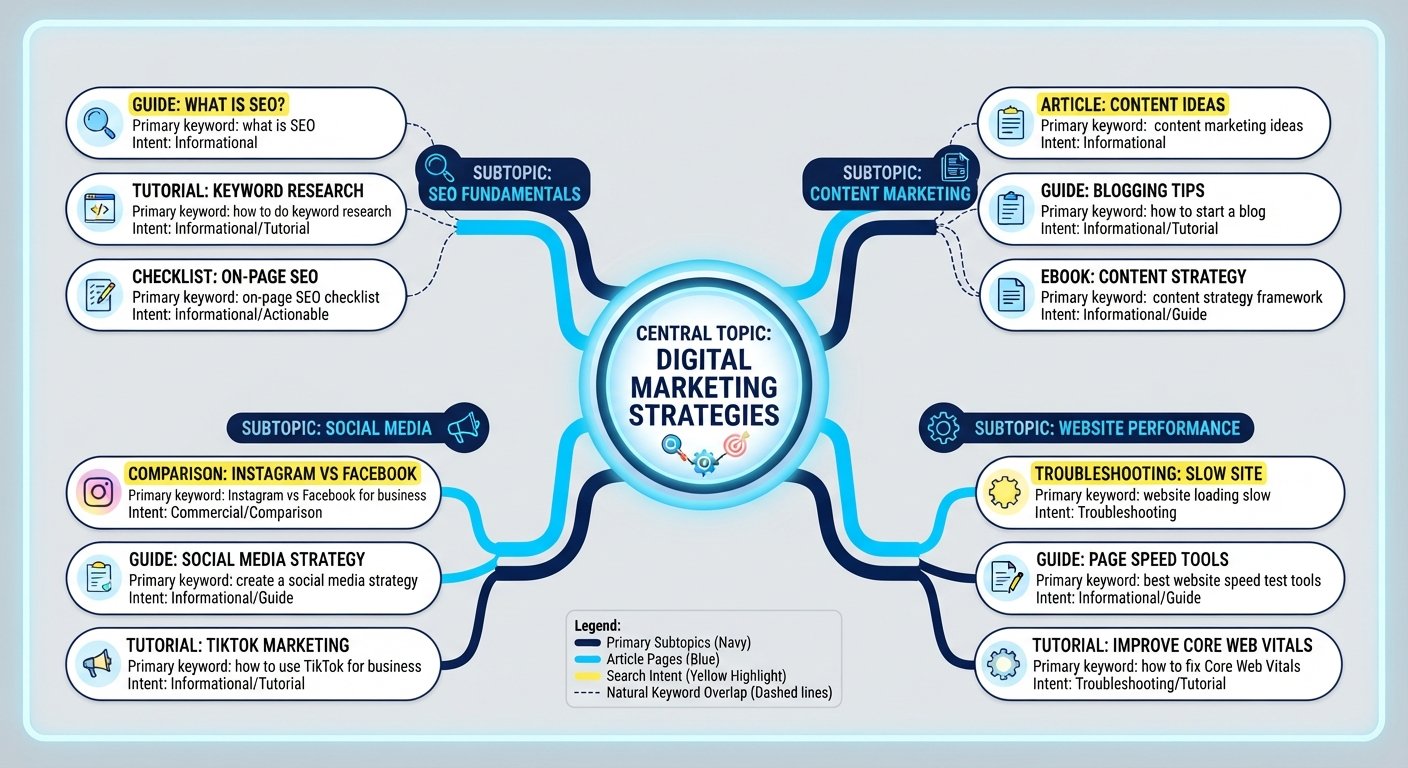
Maintain one content map for your website. Assign each important page a primary topic, intent, audience, and unique purpose. Secondary keywords can overlap naturally, but the primary job of each page should be clear.
Before commissioning a new article, search your content inventory and ask: Do we already have a page that answers this question? Can that page be improved? If a new page is still justified, document how it differs.
Build topic clusters with distinct page roles.
Organize related content around a central topic, but give every URL a defined role. A pillar page can explain the overall subject, while supporting articles cover specific questions, processes, comparisons, or troubleshooting tasks. This supports a coherent content library without turning every related phrase into a separate article.
Our guide on building topical authority in SEO explains how to plan topic coverage and connect related resources through useful internal links.
Use a pre-publication overlap check.
Before publishing, review the proposed title, focus keyword, intent, outline, and URL against existing pages. If two briefs look interchangeable, resolve the overlap before writing. This is faster and safer than publishing first and trying to repair the architecture later.
Keep your content inventory current.
Update your map when you publish, merge, redirect, or substantially reposition a page. Record the old URL, new URL, reason for the change, redirect destination, and date. This history helps editors understand previous decisions and prevents the same topic from being recreated months later.
8. Common Keyword Cannibalization Mistakes to Avoid
- Merging pages because a tool flagged them: Verify intent and data first. Tool alerts are not editorial decisions.
- Deleting a page without reviewing its value: Check links, conversions, and useful content before removing it.
- Redirecting every old URL to the homepage: Use a relevant replacement or leave the URL with an appropriate response.
- Using canonical tags on distinct articles: Canonicalization is for duplicate or very similar URLs, not a substitute for content strategy.
- Changing only the title: If the page still answers the same question in the same way, a new title may not resolve the overlap.
- Over-optimizing anchor text: Use natural descriptive anchors and link to the page that best fits the context.
- Expecting instant recovery: Crawling, processing, and search performance changes take time. Monitor trends rather than judging the fix after a day.
9. How to Monitor the Results After a Fix
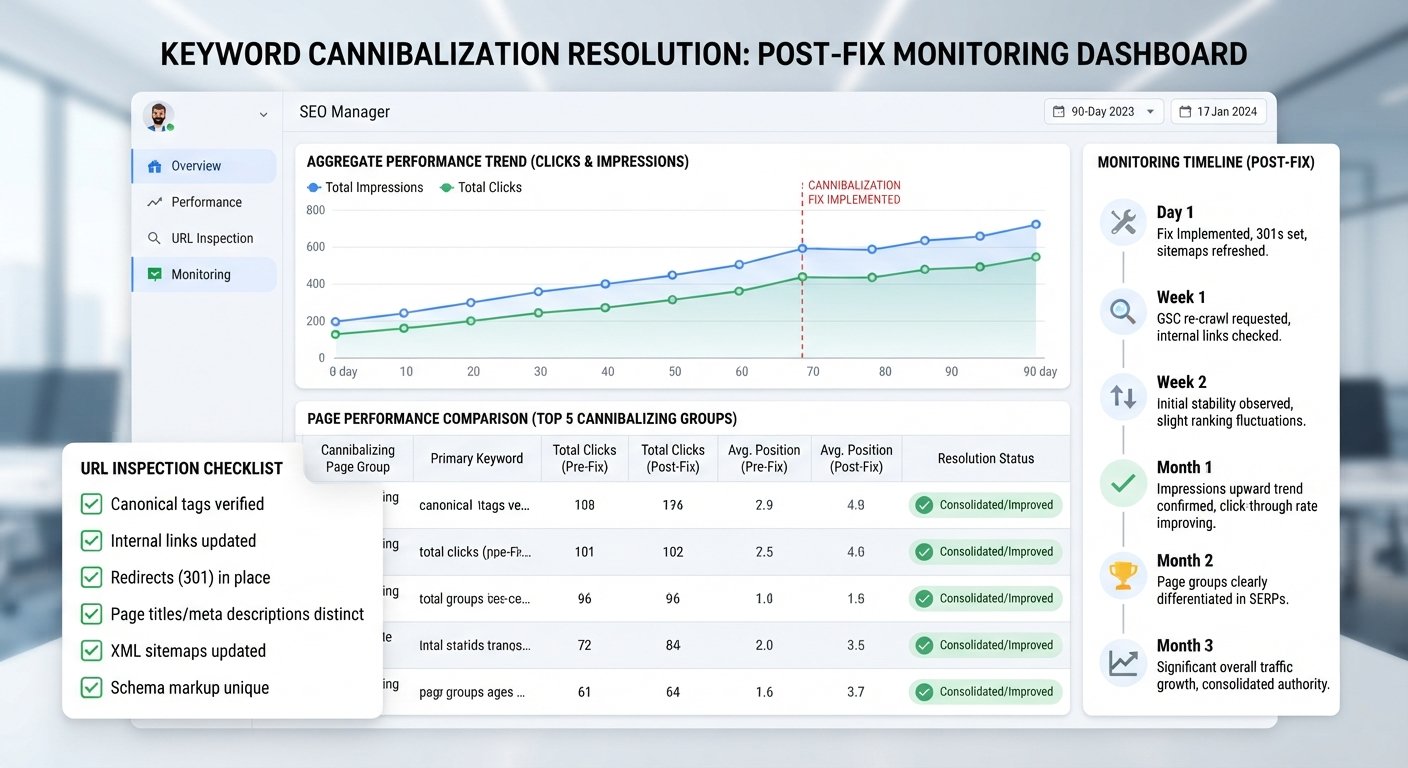
Record a baseline before making changes. Save the date range, queries, pages, clicks, impressions, click-through rate, and average position. If the page supports a business goal, also record leads, sales, or other meaningful conversions.
After a merge or repositioning:
- Test the retained URL and any redirects in a browser.
- Check that internal links point to the intended destination.
- Confirm the canonical URL is correct and the page is eligible for indexing.
- Review the XML sitemap and remove retired URLs when appropriate.
- Use URL Inspection in Search Console when you need to inspect a specific URL or request recrawling.
- Compare query and page performance over a meaningful period, allowing time for Google to recrawl and process changes.
- Check whether the intended page is now the most relevant result for the target queries.
Do not judge success only by whether one URL gains a position. Look at the whole topic: are users reaching the right page, are clicks and conversions healthy, and is the content structure clearer? Search Console data can be filtered by query and page, but some queries may be omitted for privacy and reporting reasons. Interpret the data as a useful sample rather than a complete record of every search.
10. Frequently Asked Questions
Does keyword cannibalization always hurt SEO?
No. Multiple pages can rank for related terms without causing a problem, especially when they serve different intents. Investigate whether the pages genuinely compete and whether the wrong page is appearing before making changes.
Can two pages target the same keyword?
They can mention or rank for the same phrase, but deliberately creating two pages with identical purpose is usually unnecessary. Give each page a distinct audience, intent, format, or task.
Should I delete one of the competing pages?
Not automatically. You may merge the content, reposition the page, improve internal links, canonicalize a true duplicate, or keep both pages. Choose based on usefulness, intent, links, and performance.
Does a canonical tag fix keyword cannibalization?
Only when the URLs are duplicates or very similar, and one should represent the group. Canonical tags are not designed to resolve competition between distinct pages with different content and purposes.
How long does it take to see a result?
There is no guaranteed timeline. Search engines need to crawl and process changes, and performance also depends on competition and demand. Track the trend over several weeks or longer, depending on crawl frequency and site activity.
Can I find cannibalization with Google Search Console alone?
You can identify useful candidates by filtering a query and checking its Pages tab. For a complete diagnosis, combine Search Console with a content inventory and manual intent review.
Key Takeaways
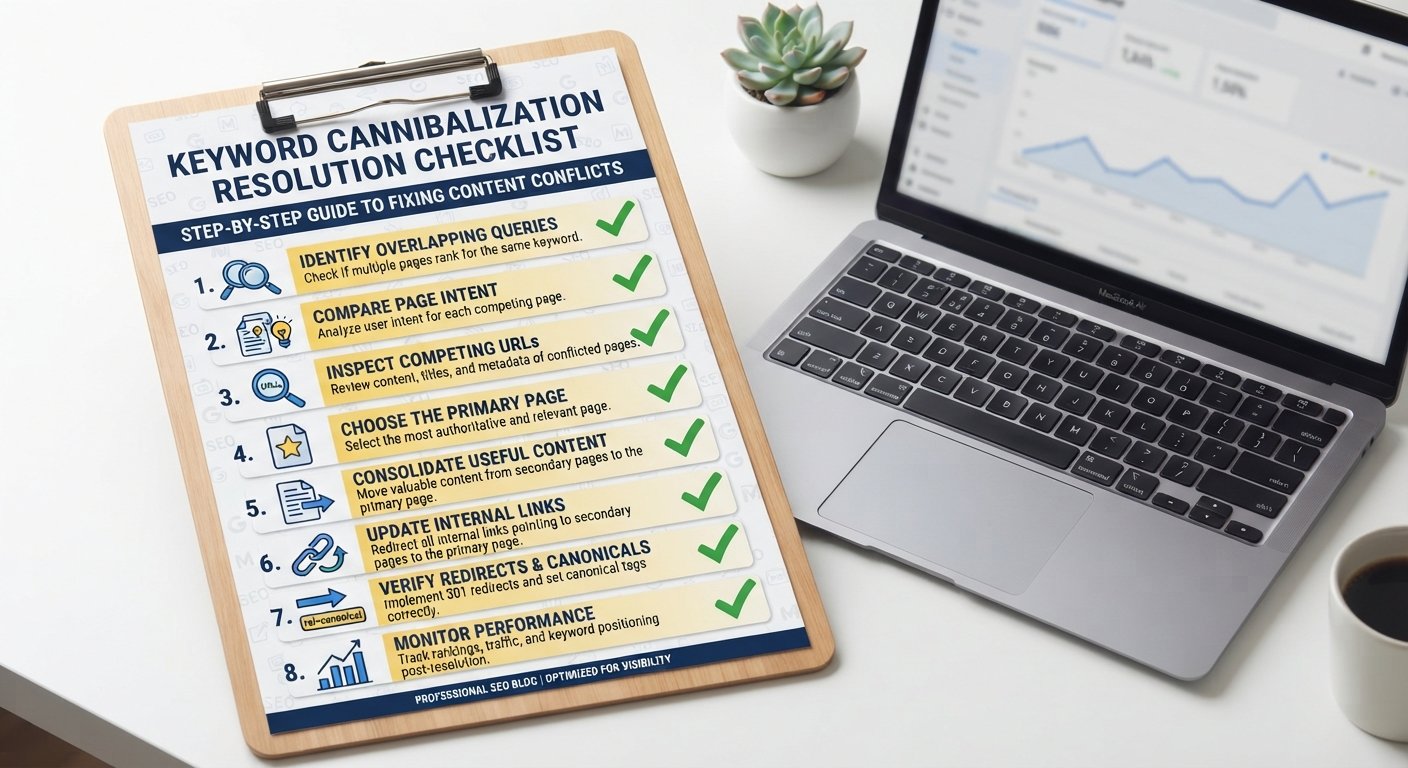
- Keyword overlap is normal; overlapping search intent is what deserves attention.
- Use Search Console’s query filter and Pages tab to find candidate URLs.
- Compare intent, content, audience, links, and performance before choosing a fix.
- Merge only pages that genuinely serve the same need; use redirects for retired URLs with relevant replacements.
- Use canonical tags for duplicate or very similar URLs, not as a shortcut for distinct content.
- Prevent future overlap with a keyword map, clear page roles, and a pre-publication content check.
- Monitor the full topic’s performance and user outcomes after changes.
Final Thoughts
Keyword cannibalization is not a reason to panic or delete half your blog. It is an opportunity to make your content strategy clearer. Start with the data, confirm the overlap, and choose the least disruptive fix that improves the experience for readers.
If you are planning your next article, review your keyword map and existing content first. Then build a page that has a clear purpose—and make it easy for visitors to find it through thoughtful internal links.
Take action: Open Google Search Console, choose one important query, and check which pages Google has shown for it. That small audit is a practical first step toward a more organized website.